The right printing process depends on more than the number of copies: artwork stability, paper, colour requirements, turnaround, personalisation and reprint frequency all affect the decision. By the end, you will be able to estimate your real quantity, compare offset with digital and large-format methods, and brief a printer with specifications that support a sound choice.
Key takeaways
- Choose offset when setup costs are spread across thousands of copies.
- Choose digital for short runs, variable data or urgent turnaround.
- Calculate usable demand before ordering a large quantity.
- Specify paper stock, colour count and press size before requesting quotes.
How Offset Printing Becomes Economical at Higher Volumes
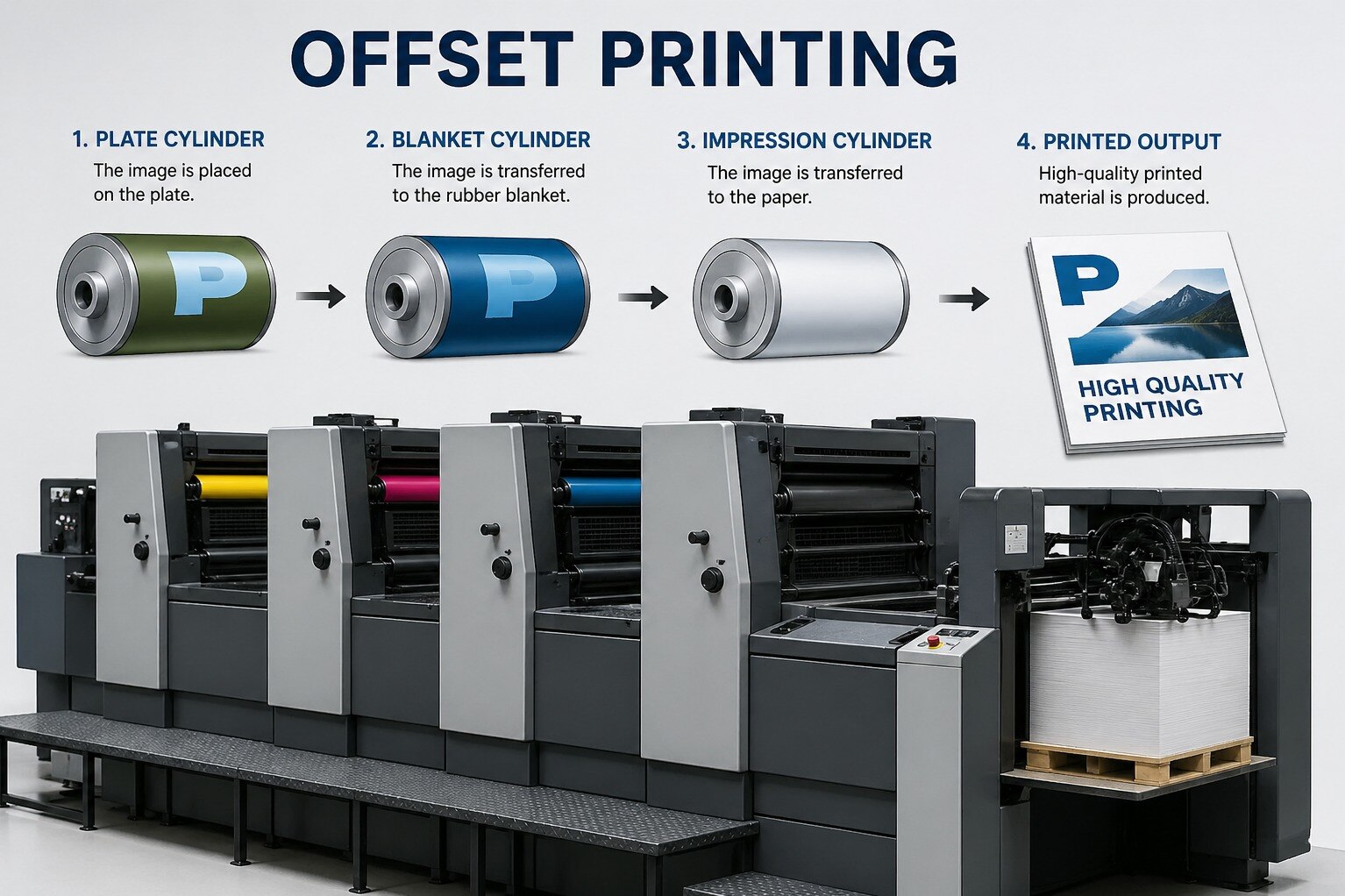
Offset printing earns its advantage by turning setup into a smaller cost per copy. Plate-making creates the image carriers; each plate transfers ink to a rubber blanket, which presses it onto paper. Mounting plates, balancing ink and dampening, checking registration and discarding make-ready sheets take similar effort whether the press produces 200 or 20,000 copies.
There is no fixed minimum quantity at which offset printing becomes economical. The crossover with digital printing changes with:
- sheet size and colour count;
- paper stock and coating;
- finishing requirements;
- variable data, such as individual names or QR codes;
- urgency and expected reprint frequency.
A large repeated run usually favours sheetfed offset printing because the setup cost is spread across every additional sheet. A short run can favour digital printing because it avoids plates and much of the press preparation.
If the artwork is static but every sheet needs a different code or name, print the common image offset and add the changing layer digitally. That hybrid route preserves volume efficiency without forcing offset to handle one-to-one changes.
Offset or Digital: Match the Process to the Run
Choose offset instead of digital when one finished design will be repeated across a substantial, predictable run and the delivery date allows plates, makeready sheets, registration checks and press setup.
Those largely fixed costs are spread across the copies; the crossover changes with sheet size, colour count, paper, finishing and waste, so there is no universal minimum quantity.
| Option | Best fit | Main limitation |
|---|---|---|
| Sheetfed offset | Repeated brochures, folders, stationery and inserts on paper or paperboard | Setup costs make short runs expensive |
| Digital printing | Short runs, urgent printing jobs, proofs and frequent reprints | Higher unit cost as the identical quantity grows |
| Offset with digital overprint | A stable design with names, QR codes, serial numbers or changing offers | Requires coordination between two processes |
| Web offset | Very large, repeatable catalogue, publication or insert runs | Poor fit for heavy board, frequent version changes and small quantities |
Variable data printing usually favours digital production because each sheet can change. A practical compromise is offset for the static artwork and digital overprinting for the personalised layer.
Request a proof and an agreed print condition, not merely “good colour.” ISO 12647-2 defines targets such as tone-value increase and solid-ink colour for offset; CMYK also cannot reproduce every bright brand colour, so specify a spot ink when accuracy matters.
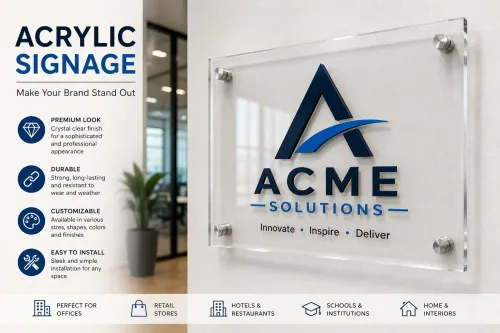
For finished acrylic, aluminium composite panels or LED housings, choose a compatible UV, screen-printing, transfer or face-film process instead.
Calculate the Quantity You Will Actually Use
A 10,000-copy order is not a 10,000-copy requirement if half will sit in storage or become obsolete. Calculate the number of usable copies first, then add production waste and a controlled reserve.
Build the commercial print quantity from these figures:
- Branch allocation: copies assigned to each location, based on its expected demand and delivery schedule.
- Sales samples: copies for sales staff, distributors, exhibitions and customer presentations.
- Replacement stock: copies for damaged, lost or misprinted items during the campaign.
- Print spoilage: extra sheets required for makeready, colour approval, registration checks and finishing waste.
Ask the printer to estimate print spoilage for the paper size, press run and finishing method. Do not guess it from the number of finished pieces; spoilage is calculated in sheets before cutting and binding.
Add those amounts, then round up to the printer’s production quantity. Compare that total with your realistic consumption over the period before the artwork, price, contact details or offer changes. A lower run that requires an early reprint can cost more than one planned run, while excess stock ties up cash and storage space.
For several branches, calculate each branch allocation separately before combining the order. This exposes locations receiving too many copies and gives you a defensible quantity instead of padding the run with optimistic demand.
Choose Paper, Colour and Press Specifications Before You Quote
Paper grade, GSM, colour plan and finishing choice belong in the quote before you compare press prices. A heavier sheet can improve stiffness but raise paper, postage and folding costs; GSM alone does not determine quality.
Paper choice changes how the image behaves:
| Paper | Appearance and handling | Cost or suitability issue |
|---|---|---|
| Coated paper | Sharper halftones, smoother solids and higher apparent colour density | Ink dries more slowly, increasing set-off risk and possibly requiring powder, longer pile time or extra drying |
| Uncoated paper | Softer image with more natural texture and easier writing or stamping | Greater ink absorption can reduce sharpness and colour density; opacity matters when show-through would look unprofessional |
| Recycled or specialty stock | Distinctive texture or sustainability positioning | Uneven surfaces and unusual sheet sizes can increase makeready, spoilage and finishing costs |
Specify the actual GSM, sheet size, grain direction and required opacity. A thin, heavily inked sheet can curl or show the reverse side; a thick sheet can crack at folds unless creased.
For colour, confirm whether the artwork uses four-colour process or spot ink. CMYK needs cyan, magenta, yellow and black plates; a spot colour adds a plate, press unit or separate pass, plus wash-up and registration work.
Bright orange, green, blue and fluorescent colours can fall outside CMYK’s gamut, so request a proof or specify a spot ink. Multiple versions, heavy ink coverage and repeated approval cycles can erase the volume savings.
For mounted signage, specify the face material, adhesive, laminate and edge sealing separately: outdoor life depends on those components and UV exposure, not offset ink alone.
Know Which Commercial Jobs Fit Offset—and Which Do Not
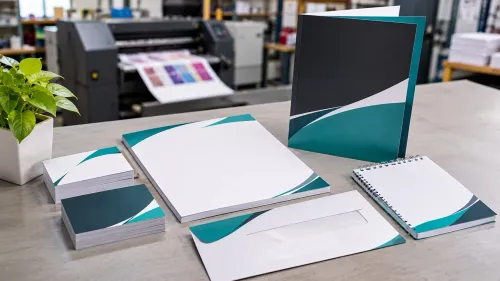
Choose sheetfed offset when the job is a repeatable, mostly static set of paper products: business cards, brochures, catalogues, letterheads and envelopes. Its plates and make-ready effort become worthwhile when many finished copies share the same artwork, colours and paper.
| Route | Best fit | Disqualifier |
|---|---|---|
| Sheetfed offset | Medium-to-large runs of standard paper items and repeat campaigns | Frequent artwork changes, urgent one-off reprints or heavy personalisation |
| Web offset | Very large, repeatable catalogues, inserts and publications printed from a continuous roll | Short runs, heavy board, frequent versions or substrates unsuitable for a web press |
| Digital | Short runs, fast delivery, proofs and names, QR codes, serial numbers or changing offers on every sheet | Large static runs where plate and make-ready costs can be spread widely |
Ask the supplier to confirm that the press sheet accommodates your finished size, gripper margin, trim, bleed and colour bars. A 70 × 100 cm-class press does not make the entire sheet printable. Artwork must be imposed within those limits.
For repeat work, request a named ISO 12647-2 print condition instead of “good colour,” and approve a contract proof made for that condition. An office printout cannot serve as that proof. Also ask whether CTP plates, registration, ink balance and first-sheet approval are included in make-ready; CTP removes film handling, not press setup.
- Ask Pantone Media Solutions LLP for the proposed sheet size and imposition before approving artwork.
- Use offset for the static layer and digital overprinting for variable data when both scale and personalisation matter.
Frequently asked questions
When does offset printing become more economical than digital printing?
Offset becomes more economical when a large run spreads plate-making, make-ready and press setup costs across many copies.
How do you choose between offset and digital printing?
Choose offset for high-volume, consistent jobs; choose digital for short runs, variable data or faster turnaround.
How do you calculate the quantity to print?
Estimate actual distribution, storage capacity and expected waste before adding a controlled reserve to the order.
What specifications should you confirm before requesting an offset printing quote?
Confirm quantity, finished size, paper stock and weight, colour count, press size, finishing and delivery requirements.
Which commercial printing jobs are suitable for offset printing?
Offset suits repeatable brochures, catalogues, booklets, forms, flyers and other high-volume jobs with fixed content.