A business can use the correct logo and still look inconsistent when its letterhead, cards, envelopes and invoices use different colours, spacing, paper or contact details. By the end, you will know how to define a stationery system, compare production choices, approve colour accurately and control repeat orders without relying on guesswork.
Key takeaways
- Treat letterheads, cards and forms as one stationery system.
- Give your printer exact sizes, stock, colours, finishes and file specifications.
- Match paper and finishing to each item’s practical use.
- Approve colour proofs and retain signed artwork records for reprints.
Build a stationery set, not a collection of separate items
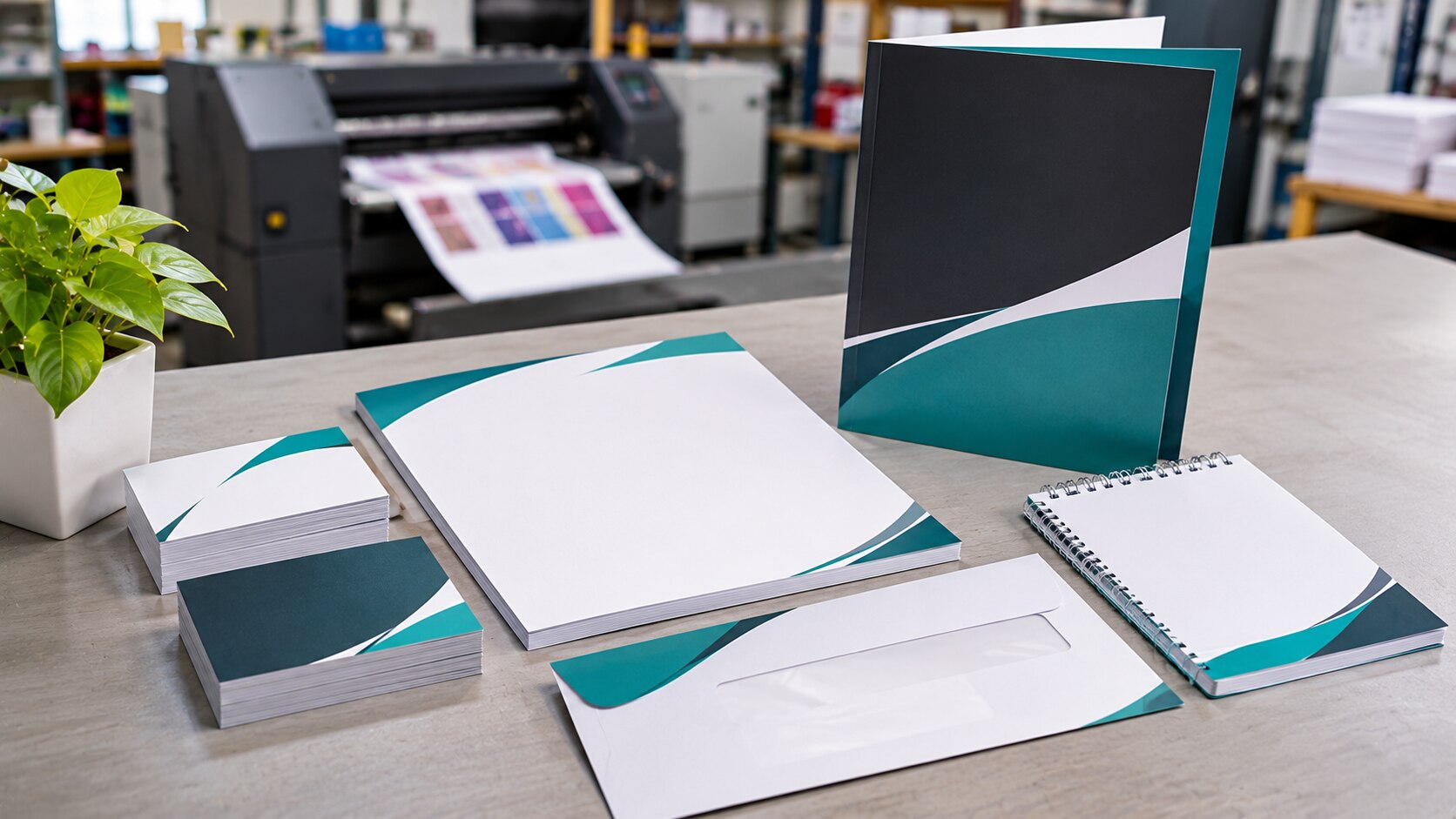
A business stationery set should give every customer-facing and internal document the same visual logic, not the same logo pasted at different sizes. Bring letterhead, business cards, envelopes, compliment slips, quotation sheets, invoices, purchase orders, folders, notepads, stamps and presentation covers into one system.
| Item group | Items | How the system adapts |
|---|---|---|
| Correspondence | Letterhead, envelopes, compliment slips | Keep the same logo position, type hierarchy and contact details; allow the envelope flap and margins to follow its physical format. |
| Transactions | Quotation sheets, invoices, purchase orders | Preserve headings, table styles, numbering and footer information while giving data-heavy pages more writing space. |
| Identity and presentation | Business cards, folders, notepads, stamps, presentation covers | Retain the core mark, colour relationship and typography; simplify details when the surface is small or the application is one-colour. |
Define fixed elements and flexible elements. The logo, typefaces, company name and contact hierarchy should remain stable; margins, image areas, text density and logo scale must change to suit each format. A business card cannot carry the same information block as an invoice.
Treat colour as a production target, not a screen value. Specify the print condition, paper or substrate, finish and CMYK profile or spot-colour reference, then approve a physical proof under consistent D50-based viewing. Uncoated letterhead, coated cards and envelopes can make identical artwork appear different.
Keep bleed and the protected live area suited to the printer’s trimming method rather than assuming 3 mm works for every format.
Create a stationery brief that a printer can produce accurately
Give the printer a stationery brief before any artwork is prepared. State which items are included, their finished sizes, quantities, printing sides, and the job each must perform.
1. Send approved logo files in vector formats such as AI, EPS or PDF, plus the permitted colour and one-colour versions. Identify clear space, minimum size and prohibited alterations.
2. Define the visual rules: approved colour references, intended CMYK profile or spot-colour reference, brand fonts, type hierarchy, alignment, image style and acceptable substitutions when a font is unavailable.
3. Provide complete company details: legal name, trading name, address, phone numbers, email, website, tax registration details, social handles and any mandatory invoice or purchase-order wording. Mark which details belong on each item.
4. Specify the production reference, not just the artwork PDF. Name the paper stock, GSM, coating or lamination, proof condition, finish and colour target. Paper white, texture, optical brighteners and gloss can change perceived colour.
5. State the printer’s file requirements. Confirm whether its RIP supports PDF/X-4; use PDF/X-1a only when that workflow is required. Request bleed and live-area measurements, since 3 mm is a common starting point but not universal. Build small black text and fine rules as single-channel black.
Number the master artwork file and record the approval date, proof comments and approver. Keep a signed physical sample with measurable colour data for repeat orders; a PDF cannot show paper white, gloss or translucency.
Choose paper, print process and finishing for the job each item performs
Match the specification to the item’s job, not simply to the lowest quote. A letterhead needs readable writing space, while a business card needs stiffness, accurate colour and resistance to handling. Decide whether ink appears on one side or both before pricing; duplex printing affects show-through, registration and drying time.
| Option | Compare | Choose when |
|---|---|---|
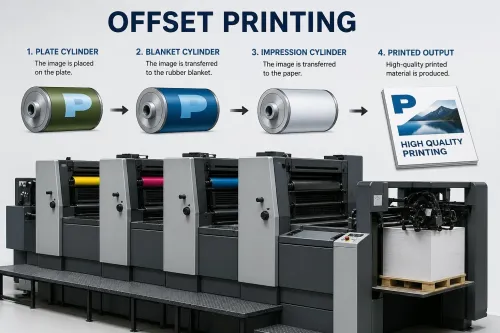
| Offset printing | Efficient for large, repeatable runs; needs plates and setup | You are ordering a high quantity of identical letterheads, envelopes or forms |
| Digital printing | Faster setup and economical for short runs or variable details | You need a small batch, frequent revisions or personalised documents |
| Uncoated paper | Easier to write and stamp; texture absorbs ink and softens colour | Letterheads, invoices, purchase orders and notepads |
| Coated paper | Smoother, sharper and more saturated; writing with some pens becomes difficult | Business cards, presentation covers and premium inserts |
| GSM paper weight | Higher GSM usually adds stiffness, but thickness varies by fibre and finish | Compare physical samples, not GSM alone; use lighter stocks for internal forms and heavier stocks for cards |
| Matte, gloss or lamination | Matte reduces apparent saturation; gloss increases reflection; lamination adds protection | Select based on handling, writing, scanning and brand-colour appearance |
Ask for a finished proof showing the chosen stock, both sides and every finish. An RGB value is not a print specification: record the CMYK profile or spot-colour reference, substrate and finish. Pantone Media Solutions LLP can use that same substrate-and-finish record when stationery must sit beside branded display materials.
Ensure the printer acclimatises paper before duplex printing, folding or trimming; unmanaged humidity can cause curl and misregistration.
Control colour across paper stocks, print runs and brand touchpoints
An RGB value is not a reliable print specification. Convert the approved screen colour into CMYK values with a named print profile, or identify a Pantone reference when a spot colour is intended; then state the substrate and finish that define the target.
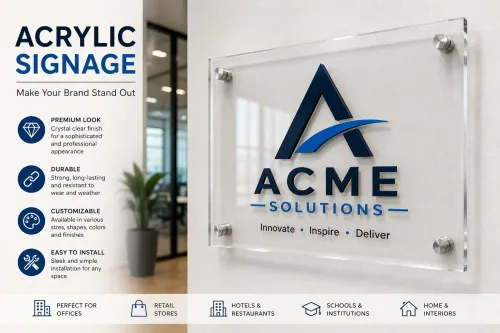
Identical CMYK percentages can look different on coated letterhead, uncoated envelopes, laminated cards, PVC, acrylic or aluminium composite panels. Paper white, optical brighteners, texture and gloss alter perceived colour, so approve the finished application rather than judging an artwork PDF on screen.
Put these details on the repeat-order colour-control sheet:
- CMYK profile or Pantone reference
- Paper, board, PVC, acrylic or aluminium substrate
- Coating, lamination, varnish or protective film
- Printing process and supplier
- Signed physical proof and approval date
Use a physical proof for each significant combination of stock and finish. Matte lamination can reduce apparent saturation, while gloss increases reflected highlights; the uncoated press sheet is not an adequate approval sample for a laminated business card or mounted sign.
Keep the signed sample with the master artwork and record the supplier, press process, substrate and finish. Compare every repeat run against that sample under consistent lighting.
If stationery and signage come from different suppliers, treat a Pantone reference as a communication target, not a guaranteed match; approve a separate process simulation for translucent or backlit materials. A measured colour reading alongside the sample helps distinguish production drift from a legitimate substrate difference.
Use artwork checks and approval records to prevent brand drift
Approve one production-ready artwork file before anything reaches the press. Check the finished size, trim marks, bleed allowance set by the printer, and safe margin around text, logos and variable details. A 3 mm bleed is common for commercial stationery, but large-format or contour-cut work may need more.
Also inspect font embedding or outlining, linked images, image resolution, overprint settings, transparency, page count and imposition. Export a PDF/X-4 file using the intended CMYK profile or spot-colour reference; an RGB logo value is not a dependable print specification.
Use this control record for every approved item:
| Record | Capture | Purpose |
|---|---|---|
| Artwork register | File name, version number, date and item dimensions | Prevents an obsolete file being reused |
| Proof approval | Signed or dated approval, proof type, viewing condition and approver | Shows which appearance was authorised |
| Production specification | Paper stock, paper white, coating, lamination, colour target and finishing | Separates real drift from substrate differences |
| Physical control sample | Approved printed sample with measurable colour data | Gives future suppliers a reference a PDF cannot provide |
Make proof approval under defined lighting, preferably D50-based graphic-arts viewing, rather than beside an office monitor. Retain the signed sample with the master file. Paper texture, gloss, optical brighteners and translucency can alter colour even when the artwork values remain identical.
For repeat orders, compare the new sheet against that sample and record any approved substrate change before production.
Frequently asked questions
Why should a business create a stationery set instead of separate items?
A stationery set gives letterhead, cards, envelopes, forms and folders one visual system, so the logo, type, colour and spacing remain consistent across documents.
What should a stationery brief include for accurate printing?
Specify each item’s size, quantity, paper stock, colour references, print sides, finishing, variable fields, delivery format and approval contact.
How do paper, print process and finishing affect stationery?
Choose materials and processes according to the item’s job: writable forms need suitable uncoated stock, while presentation covers can use heavier paper and finishes such as lamination.
How can a business prevent colour and artwork drift?
Use defined brand colour references, check proofs on the intended paper, approve final artwork in writing and retain the approved files and print specifications.